Quick Search in any app
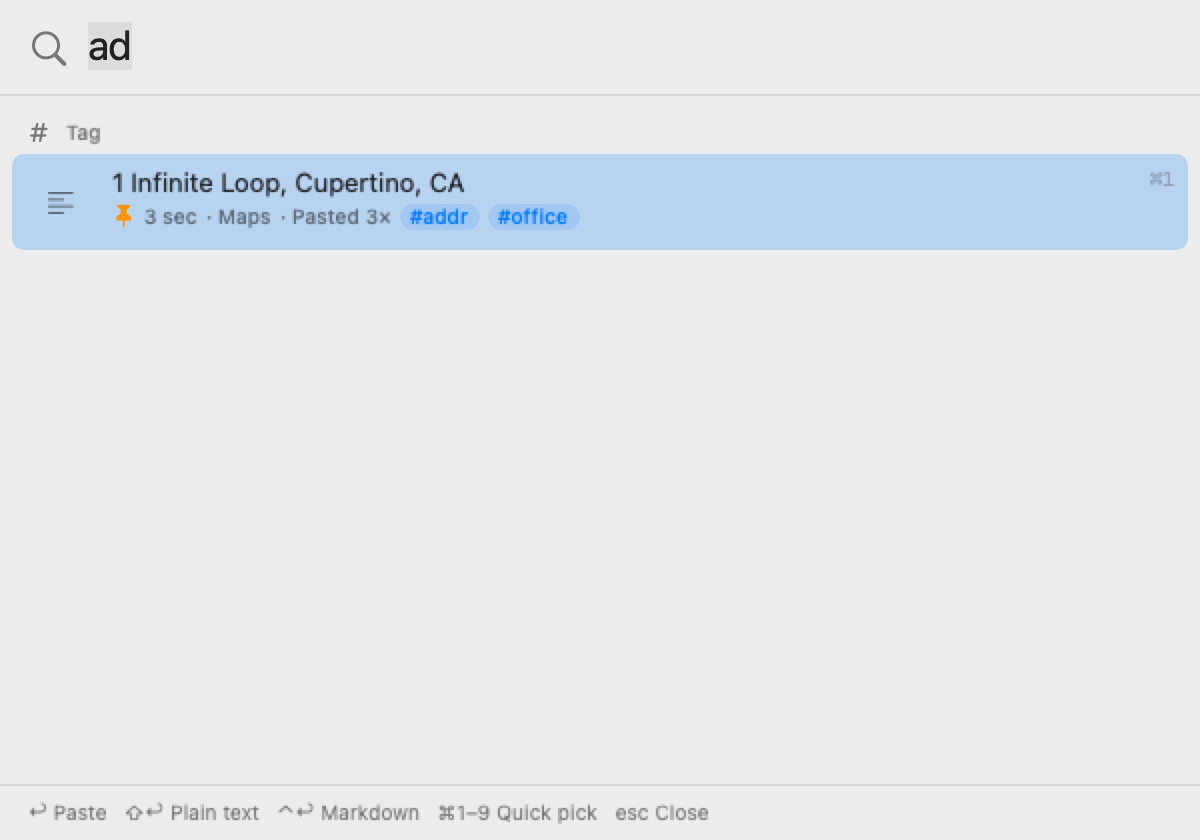
Press ⇧⌘Space wherever you are. Type a few letters or a #tag and press Return to paste.
- Searches your history and snippets together
- Items you paste most often come first
- Tags work like shortcuts, even when typed partly
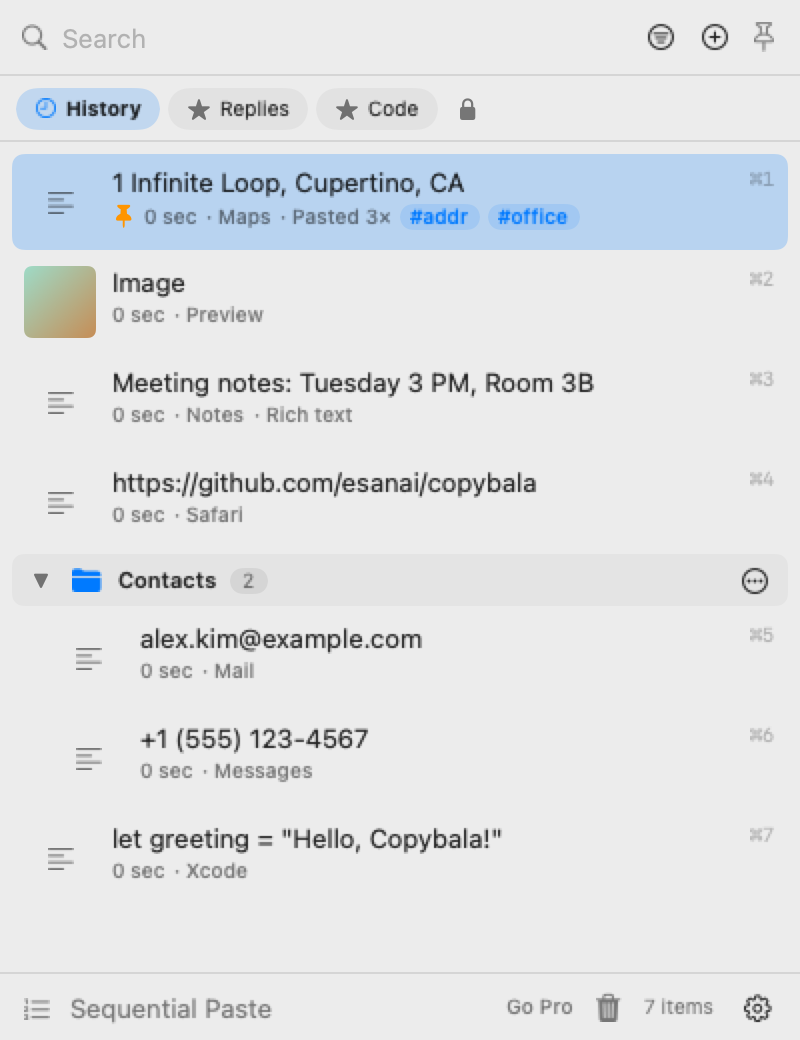
Copybala is a clipboard manager that lives in your Mac's menu bar. Find anything you copied, paste it in any app, and keep the text you reuse as snippets.
Press ⇧⌘Space wherever you are. Type a few letters or a #tag and press Return to paste.
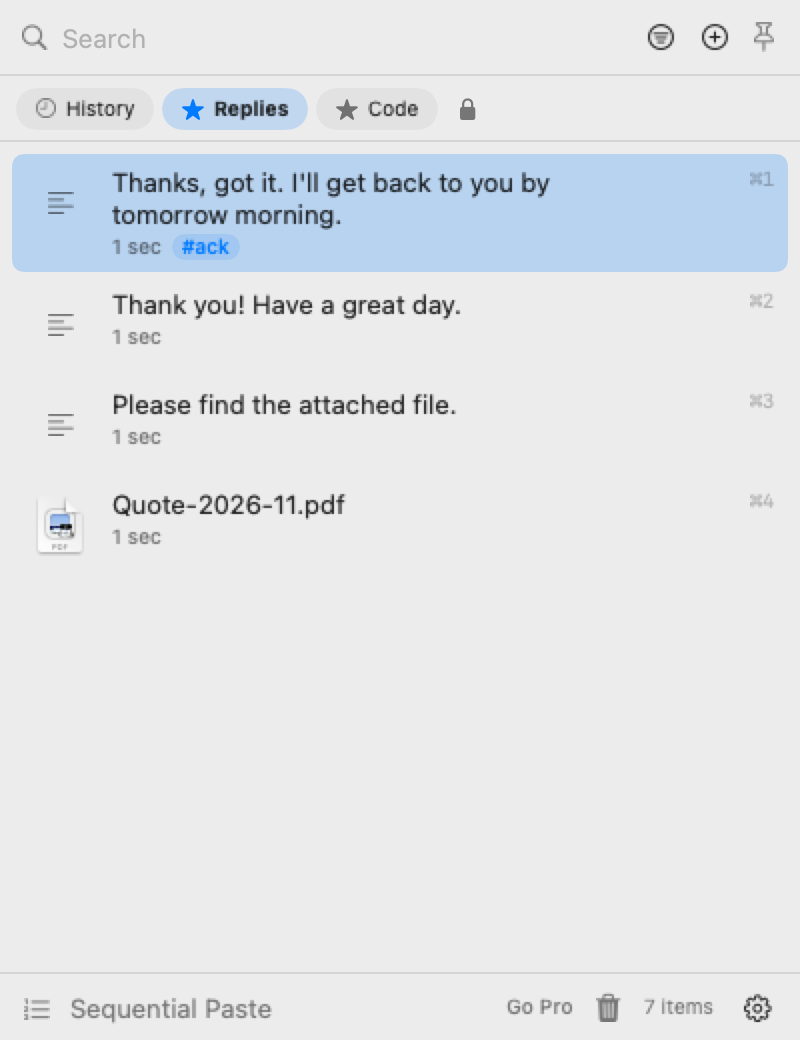
Keep replies, code, addresses and files in snippet tabs, ready to paste.
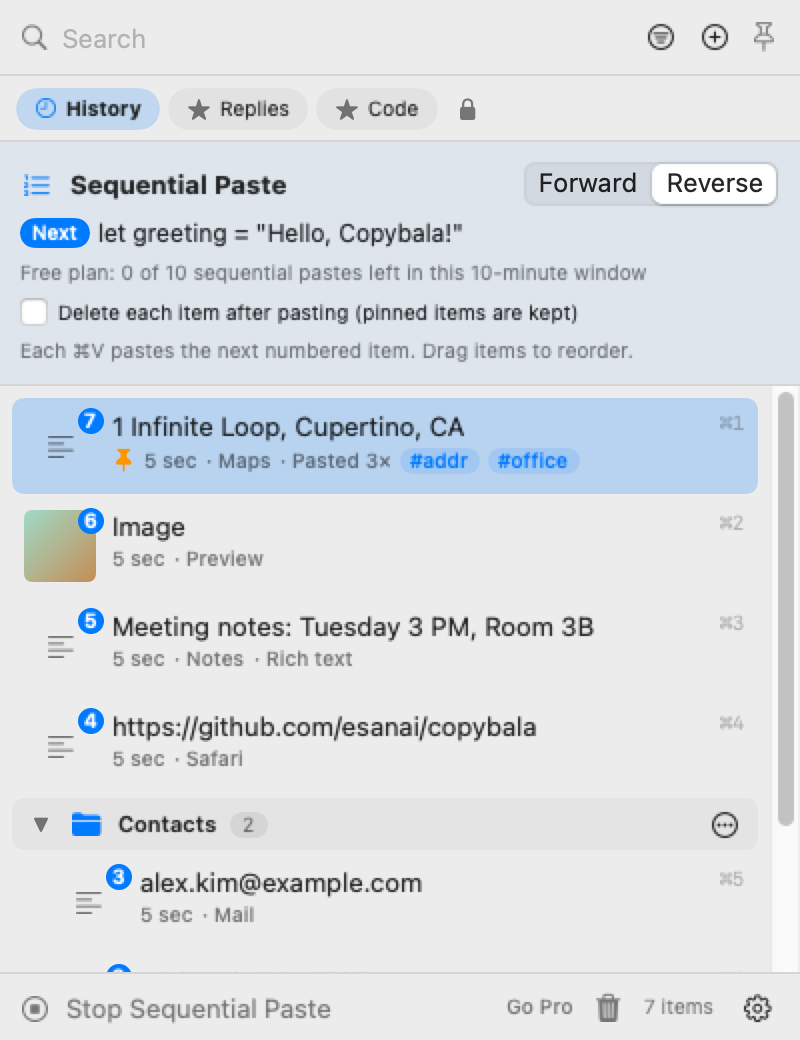
Turn on Sequential Paste, copy several things, then press ⌘V again and again. Each press pastes the next item.
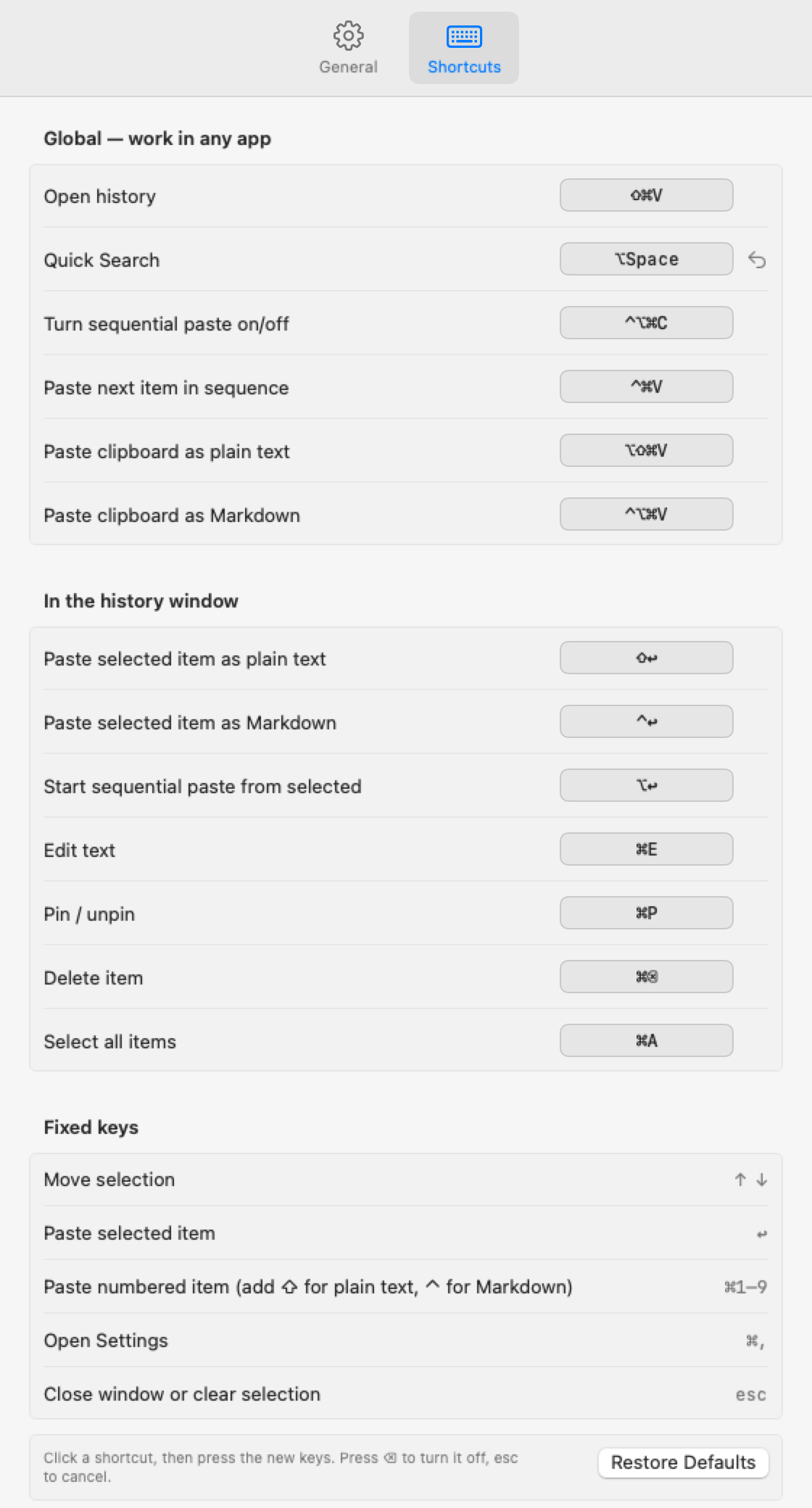
Change any shortcut in Settings › Shortcuts. Copybala warns you when two shortcuts clash.
Small details that keep your day moving.
Saved automatically, with a filter for each type.
Strip formatting, or turn rich text into Markdown as you paste.
Keep favorites on top, group related items, tag anything.
Deleted items wait in the Trash for as long as you choose.
History and snippets stay the same on every Mac.
No analytics, no ads. Password manager content is never saved.
Pro removes the limits and puts a tangerine on the capybara's head.
 Copybala
 Copybala Pro
Prices vary by country and are shown in the App Store.
Only on your Mac and, if you turn sync on, in your own iCloud account. The developer can't see it.
It lets Copybala press ⌘V for you after you pick an item, and notice ⌘V during sequential paste. It's optional, and keystrokes are never recorded.
Yes. Open Settings from the gear menu and choose Shortcuts. Every shortcut can be changed or turned off.
Open the App Store, click your name, then Account Settings › Subscriptions. Cancel at least 24 hours before renewal.